How to Create Favicons: PNG to ICO (Best Practices & Guide)
Estimated Reading Time: 12 Minutes
Author: Subhan Sohail, Senior Technical SEO & Web Standards Specialist
Table of Contents
1. Introduction
The favicon (short for "favorite icon") is often the smallest file on your website, yet it carries immense branding weight. It is the visual anchor for users navigating multiple open tabs, skimming bookmarks, or looking at their desktop shortcuts. While modern browsers support various formats, the ICO (Windows Icon) format remains the gold standard for maximum compatibility.
If you have a high-quality logo in PNG format, simply renaming the file extension won't work. You need to repackage that raster image into a specific container that holds multiple resolution layers.
How to create a Favicon from PNG to ICO:
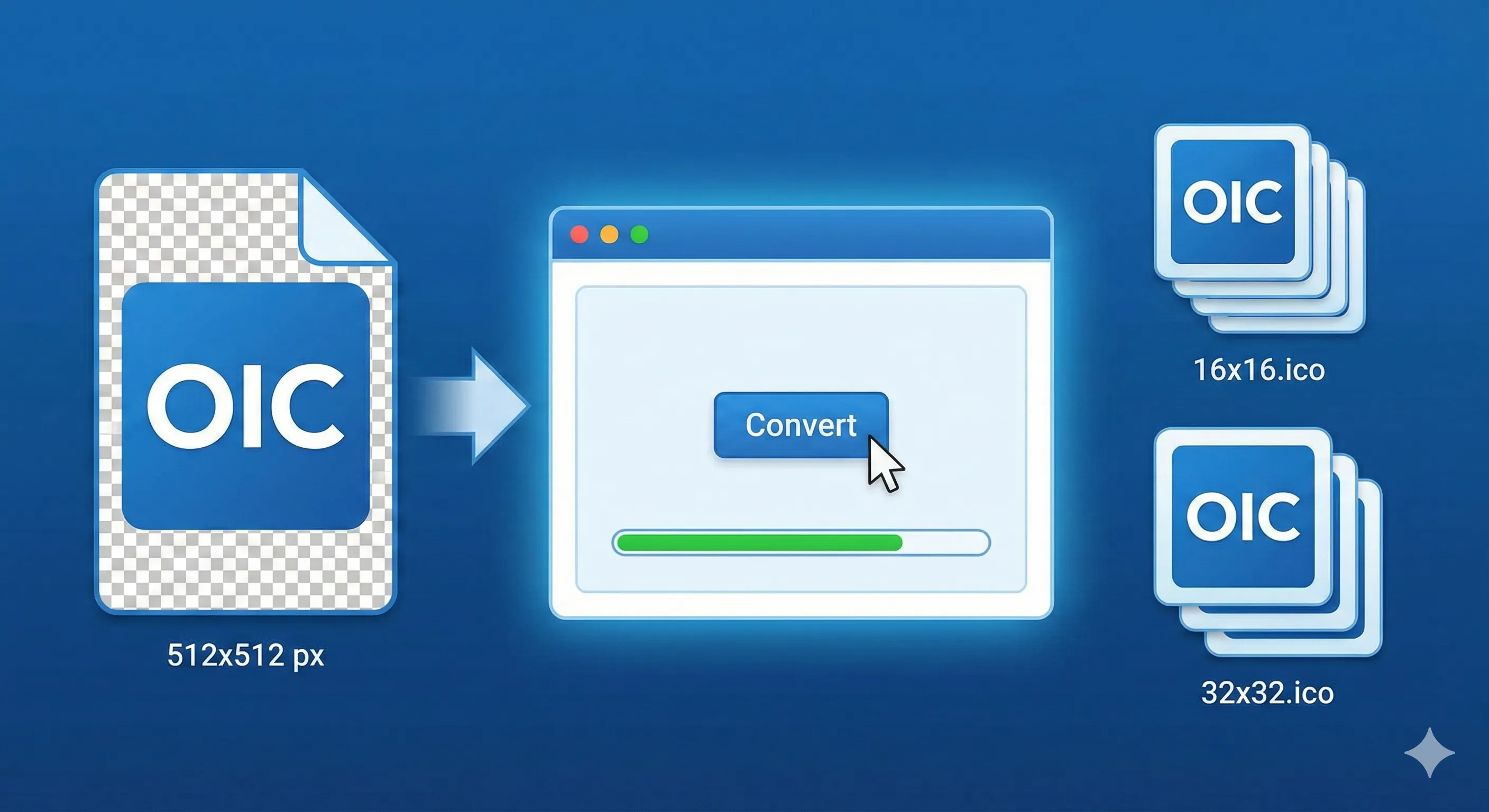
To create a robust favicon, design a square image (512x512px recommended) and save it as a transparent PNG. Use a multi-resolution ICO converter to pack 16px, 32px, and 48px sizes into a single .ico file. This ensures compatibility across browser tabs, bookmarks, and Windows desktop shortcuts.
Whether you are a developer optimizing for Core Web Vitals, a business owner solidifying your brand identity, or a designer handing off assets, this guide covers the technical "how-to" and the strategic "why."
Ready to start? If you already have your source image, you can jump straight to our ICO Icon Generator to process your file immediately.
2. What is an ICO File and Why Does It Matter?
An ICO file is not a standard image like a JPG or PNG; it is a container format.
Unlike a PNG which stores a single image at a single resolution, a single .ico file can store multiple images of different sizes and color depths (bit rates) simultaneously.
Why use ICO in 2024?
-
Backward Compatibility: Older versions of Internet Explorer (still used in some corporate environments) and legacy Windows applications strictly require
.ico. -
The "Fallback" Mechanism: If you provide an ICO file containing 16x16, 32x32, and 48x48 versions, the browser or OS will automatically select the best size for the user's screen density (DPI).
-
Desktop Shortcuts: When a user saves your website to their Windows desktop, the OS looks for the ICO file to render the shortcut icon. PNGs often fail here.
Expert Insight: While SVG favicons are the future for scalability, having a
favicon.icoat the root of your site is still a W3C recommended fallback to prevent 404 errors in server logs.
3. Decision Framework: ICO vs. PNG vs. SVG
Before converting, use this matrix to decide if ICO is the right choice for your specific use case.
| Feature | ICO | PNG | SVG |
| Primary Use | Browser tabs, Bookmarks, Windows Shortcuts | iOS Home Screen, Android, High-Res Tabs | Dark Mode support, Infinite Scaling |
| Transparency | Yes (1-bit to 8-bit alpha) | Yes (Full Alpha Channel) | Yes (CSS styling supported) |
| Scalability | Multi-layer (raster) | Single layer (raster) | Vector (Math-based) |
| Browser Support | 99.9% (All browsers) | 95% (Modern browsers) | 80% (Modern only) |
| Verdict | Mandatory fallback | Required for mobile | Best for sharpness |
Conclusion: For a robust strategy, you should generate an ICO file for the desktop/fallback experience, and use PNGs for Apple Touch Icons.
4. Standard Favicon Sizes & Specifications
When using our ICO Icon Generator, it helps to know what is happening under the hood. A professional ICO file should include the following dimensions packed inside:
-
16x16 pixels: The standard size seen in browser tabs (Chrome, Firefox, Edge).
-
32x32 pixels: Used for browser bookmarks bars, taskbar shortcuts, and high-DPI (Retina) tabs.
-
48x48 pixels: Used by Windows for desktop icons and directory listings.
Mobile & Other Sizes (Usually PNG, not ICO)
While the ICO covers the desktop, you may also need these formats (which you can convert using our JPE File Tool or PNG tools):
-
180x180 pixels: Apple Touch Icon (iPhone/iPad home screen).
-
192x192 pixels: Android Chrome home screen icon.
-
512x512 pixels: PWA (Progressive Web App) loading splash screen.
5. Step-by-Step Guide: Converting PNG to ICO
Follow this procedure to ensure your favicon looks crisp and retains transparency.
Phase 1: Preparation
-
Design in Square Aspect Ratio: Your source image must be a perfect square (1:1). We recommend starting with a 512x512px canvas.
-
Simplify the Design: At 16 pixels wide, complex details turn into "mud." Remove slogans, tiny text, or intricate gradients.
-
Check Background: Ensure the background is transparent. If you have a white background, use a removal tool first.
Phase 2: The Conversion
-
Navigate to the ICO Icon Generator.
-
Upload your Source: Drag and drop your high-quality PNG.
-
Note: If your source is a photograph, consider using our Create HDR Image tool first to balance lighting before resizing, though logos work best.
-
-
Select Output Sizes: Ideally, select "All" or manually check 16x16 and 32x32.
-
Process: Click "Convert". The tool will downsample your image using Bicubic Resampler algorithms to maintain edge sharpness at low resolutions.
-
Download: Save the file as
favicon.ico.
Phase 3: Verification
Before uploading, open the file. On Windows, you should see the icon change size clearly as you switch view modes (List vs. Large Icons).
Pro Tip: Do not simply rename a file from
logo.pngtologo.ico. This corrupts the file header and will cause rendering errors in browsers. You must use a converter.
6. Implementing Your Favicon (HTML Code)
Once you have your favicon.ico, place it in the root directory of your website (e.g., yourwebsite.com/favicon.ico).
Add the following code to the <head> section of your HTML. This setup covers all bases:
<link rel="icon" href="/favicon.ico" sizes="any">

<link rel="icon" href="/icon.svg" type="image/svg+xml">

<link rel="apple-touch-icon" href="/apple-touch-icon.png">
If you are dealing with a large number of assets or creating a brand manual, you might want to compile all your logo variations into a single document using our Image to PDF Converter for easy sharing with your development team.
7. Local SEO & Branding Considerations
If you are a local business, your favicon is often the first visual verification a user gets inside a Map Pack click-through or a directory listing.
-
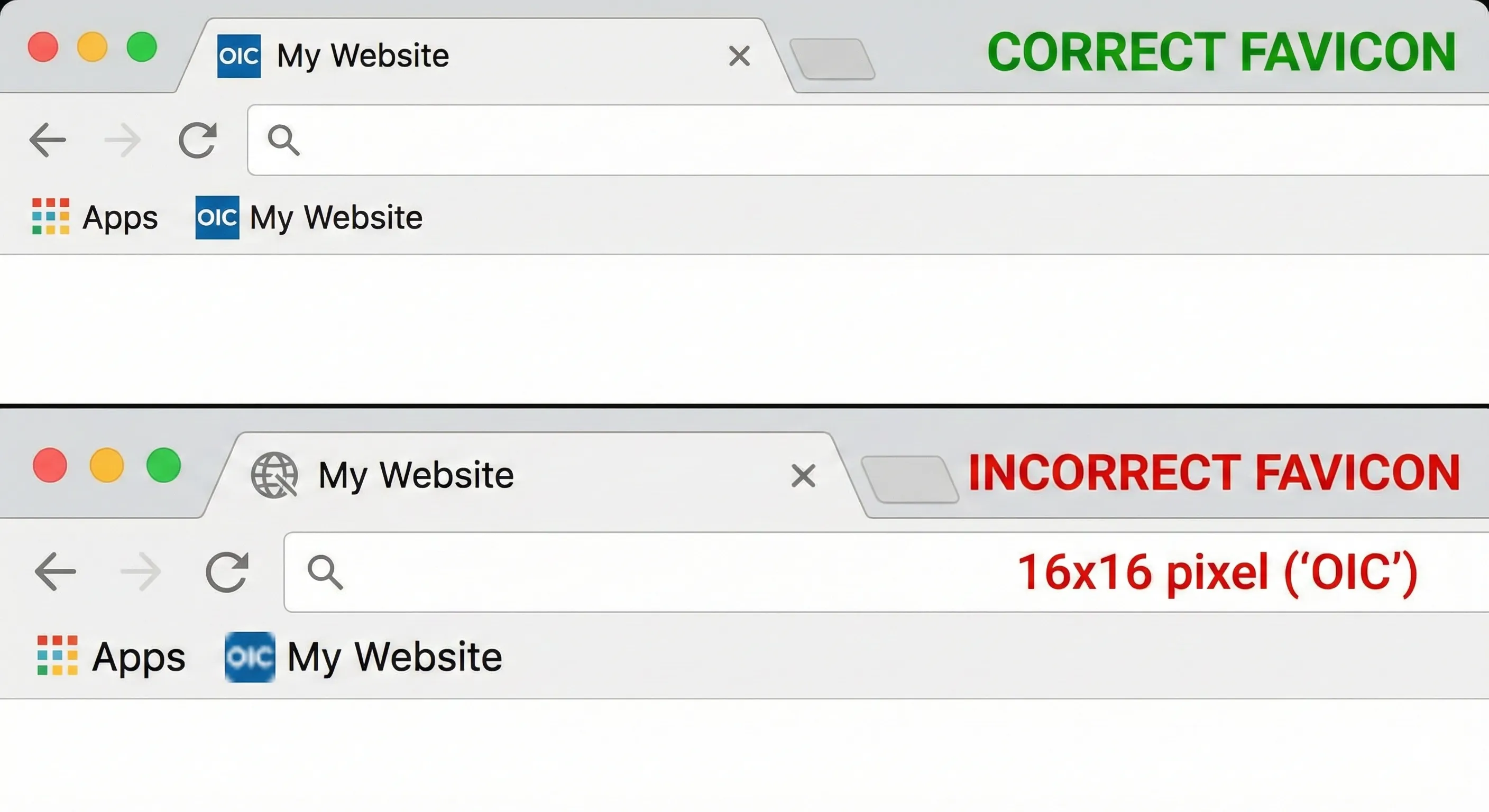
Trust Signal: A generic "globe" icon (the default when no favicon is found) signals a broken or unfinished site.
-
Geo-Targeting: If you are a "[City] Web Design Agency" or a local service provider, consistent branding across your website and your Google Business Profile (which uses your logo) builds entity trust.
-
Example: A user searching for "best plumbers in [CITY_EXAMPLE]" opens 5 tabs. The tabs with distinct, professional favicons are less likely to be closed immediately compared to those with broken icons.
8. Common Mistakes to Avoid
| Mistake | Consequence | Fix |
| Using Non-Square Images | The icon will look squashed or stretched. | Crop to 1:1 before converting. |
| No Transparency | A white box appears around your logo in Dark Mode. | Use a transparent PNG source. |
| Single Resolution ICO | Icon looks blurry on 4K monitors or Desktop shortcuts. | Use a tool that packs 16/32/48px sizes. |
| File Size Too Large | Slows down "Time to First Byte" (TTFB). | Keep ICO files under 100KB. |
| Wrong Format for Photos | Photos look unrecognizable at 16px. | Use logos. If you must use a photo, use Convert JPG to HEIC for storage, but simplify it for the favicon. |
10. FAQ & AI Overview Triggers
People Also Ask (PAA)
Q: Can I just rename PNG to ICO?
A: No. Renaming the extension does not change the internal file structure. Browsers may fail to render the image, or it may not display correctly on Windows desktops. You must use a converter to restructure the data.
Q: What is the best size for a favicon?
A: The standard size is 16x16 pixels for browser tabs. However, you should create a multi-resolution ICO file that includes 16x16, 32x32, and 48x48 pixels to ensure clarity on all screens.
Q: How do I make a transparent favicon?
A: You must start with a source image that supports transparency, such as a PNG or GIF. When you convert it using an ICO Icon Generator, ensure the settings preserve the alpha channel.
Q: Why is my favicon not showing up in Chrome?
A: Browsers cache favicons aggressively. If you updated your file, try clearing your browser cache, opening the site in Incognito mode, or adding a query string to your HTML link (e.g., href="/favicon.ico?v=2").
Q: Is .ICO better than .PNG for favicons?
A: ICO is better for compatibility (especially with older IE versions and Windows shortcuts). PNG is better for modern mobile devices and high-resolution displays. A complete strategy uses both.
Q: Do favicons affect SEO?
A: Indirectly, yes. A favicon appears in mobile search results next to your URL. A recognizable, high-quality icon improves Click-Through Rate (CTR), which is a ranking signal.
Q: How do I convert a logo to a favicon for free?
A: Use a free online tool like OnlineImageConverter. Upload your logo, select the required output sizes, and download the optimized .ico file.
AI Overview Trigger Q&A
Q: What is the difference between favicon.ico and favicon.png?
A: favicon.ico is a container format holding multiple sizes for desktop compatibility, while favicon.png is a single raster image used primarily by modern browsers and mobile devices.
Q: Does Google use favicons in search results?
A: Yes, Google displays favicons in mobile search results and occasionally in desktop SERPs. A clear favicon helps users identify your brand quickly in the search list.
Q: How to add a favicon in HTML?
A: Add the <link rel="icon" href="/favicon.ico"> tag inside the <head> section of your HTML document.
Q: Can a favicon be an animated GIF?
A: Yes, modern browsers support animated favicons, but they can be distracting. It is best to stick to static ICO or PNG files for professional use.
Q: What is the max file size for a favicon?
A: While there is no hard limit, it is best practice to keep favicons under 100KB (ideally under 10KB for the 16x16 version) to ensure the page loads instantly.
Conclusion
Creating a favicon is a small step that makes a massive difference in how professional your website looks. By converting your PNG logo to a proper multi-resolution ICO file, you ensure that your brand looks sharp on everything from a 4K monitor to a legacy Windows desktop.
Don't let a missing or blurry icon hurt your user experience.
Ready to upgrade your site's branding?
(Privacy Note: All files processed through our tools are handled via secure SSL encryption and are automatically deleted from our servers after processing to ensure your data privacy.)
Author Byline
Subhan Sohail is a Senior Technical SEO and Web Standards Specialist with over 15 years of experience in digital asset management. They specialize in optimizing web performance through efficient image handling and help developers bridge the gap between design and code.